

Translations
français: http://www.autoteiledirekt.de/science/r-impatient
Translated by Kate Bondareva.
Serbo-Croatian: http://science.webhostinggeeks.com/neki-saveti
Translated by Jovana Milutinovich from Geeks Education.
Preface
This is a tutorial (previously known as “Some hints for the R beginner”) for beginning to learn the R programming language. It is a tree of pages — move through the pages in whatever way best suits your style of learning.
You are probably impatient to learn R — most people are. That’s fine. But note that trying to skim past the basics that are presented here will almost surely take longer in the end.
This page has several sections, they can be put into the four categories: General, Objects, Actions, Help.
General
Introduction
Blank screen syndrome
Misconceptions because of a previous language
Helpful computer environments
R vocabulary
Epilogue
Objects
Key objects
Reading data into R
Seeing objects
Saving objects
Magic functions, magic objects
Some file types
Packages
Actions
What happens at R startup
Key actions
Errors and such
Graphics
Vectorization
Make mistakes on purpose
Help
How to read a help file
Searching for functionality
Some other documents
R-help mailing list
Introduction
The primary purpose of this tutorial is — in the first few days of your contact with R — to help you become as comfortable with R as possible.
I asked R users what their biggest stumbling blocks were in learning R. A common answer that surprised me was:
The biggest stumbling block was thinking that R is hard.
On reflection perhaps I shouldn’t have been so surprised by that answer. The vastness of the functionality of R can be quite intimidating (even to those of us who have been around it for years), but doing a single task in R is a logical and often simple process.
So hint number one when beginning R seems to be to ignore your fear.
More R introduction (including installation).
What happens at R startup
R is mainly used as an interactive program — you give R a command and it responds to that command. The result may influence the next command that you give R.
Between the time you start R and it gives you the first prompt, any number of things might happen (depending on your installation). But the thing that always happens is that some number of “packages” are “attached” to the “search list”. (The quotation marks indicate words that are used in a technical sense — that is, the words in quotes are part of the R jargon.)
You can see what those packages are in your case with the command:
> search()
(You don’t type the “> ” — that is the R prompt, but you do hit the return key at the end of the line.)
The first item on the search list is the “global environment”. This is your work space where the objects that you create during the R session will be.
You quit R with the command:
> q()
R will ask you if you want to save or delete the global environment when you quit. (At that point it is all or nothing — see Saving objects for how to save just some of the objects.)
If you do save the global environment, then you can start another R session with those objects in the global environment at the start of the new session. You are saving the objects in the global environment, you are not saving the session. In particular, you are not saving the search list.
More R startup (including platform specifics).
Blank screen syndrome
So you have successfully started R on your machine. Here’s where the trouble sometimes starts — there’s a big, huge prompt daring you to do something.
You don’t need a mirror to know that you have that deer-in-the-headlights look on your face.

The solution is, first, to have something to do, and then to break that task into steps.
Key objects
An important strength of R is that it is very rich in the types of objects that it supports. That strength is rather a disadvantage when you are first learning R.
But to start, you only need to get your head around a few types of objects.
basic objects
Here are three important basic objects:
- “atomic vector”
- “list”
NULL
atomic vector
There are three varieties of atomic vector that you are likely to encounter:
- “numeric”
- “logical”
- “character”
The thing to remember about atomic vectors is that all of the elements in them are only of one type. There can not be an atomic vector that has both numbers and character strings, for instance.
list
Lists can have different types of items in different components. A component of a list is allowed to be another list as well as an atomic vector (and other things).
NULL
The final object in the list above is NULL. This is an object that has zero length. Virtually all of the other objects that you deal with will have length greater than zero.
derived objects
There are three important types of what might be called derived — or non-basic — objects.
- matrix
- data frame
- factor
matrix and data frame
Matrices and data frames are both rectangular data objects. The difference between them is that everything in a matrix has to be of the same atomic type, but data frames can have different types in different columns. Each column of a data frame has to be of a single type.
A matrix can look exactly like a data frame, but they are implemented entirely differently.
Sometimes it doesn’t matter whether you have a matrix or a data frame. Other times it is very important to know which you have.
factor
Factors represent categorical data. (You might ask why they aren’t called something like category — yeah, well, long story …)
Factors are often easily confused with character vectors. In particular, columns of data frames that you might think of as character are many times actually factors.
Sometimes it doesn’t matter whether you have a factor or a character vector. Other times it is very important to know which you have.
Key actions
Three basic actions in R are assignment, subscripting and random generation.
assignment
The action in R is precipitated by function calls. Most functions return a value (that is, some data object). You will often want to assign that result to a name. There are two ways of doing that. You can do:
meanx <- mean(x)
or
meanx = mean(x)
Once you have executed one of those commands, then meanx will be an object in your global environment.
There is a shocking amount of controversy over which form of assignment to use. The position I’ll take here is to say to use whichever one you are more comfortable with. There are ways of running into trouble with either one, but using the arrow surrounded by spaces is probably the safest approach by a slight margin.
Note that R is case-sensitive. The two names meanx and Meanx are different.
subscripting
Subscripting is important. This is the act of extracting pieces from objects. Subscripting is done with square brackets:
x[1]
extracts the first element from x.
The command:
x[1, 3]
extracts the element in the first row and third column of a matrix or data frame.
Subscripting also includes replacing pieces of an object. The command:
x[1] <- 9
will change the first element of x to 9.
random generation
There is a variety of functions that produce randomness. For example, the command:
runif(9)
creates a vector of 9 numbers that are uniformly distributed between 0 and 1. You will get different answers from this command if you do it again.
graphics
The creation of a plot is another thing that can be done. This is discussed later in the Graphics section.
Reading data into R
Transferring data from one place to another is always fraught with danger. Expecting it to always be smooth is just setting yourself up for disappointment. But sometimes getting data into R does go smoothly.
If you are trying to get rectangular data (something that looks like a matrix or a data frame) into R, then the read.table function or one of its relatives will be what you want to use. This function returns a data frame. Note: a data frame, not a matrix.
There are also functions to read in more arbitrary data.
Seeing Objects
We’ll look at two aspects of seeing objects:
- print an object
- see what objects exist
To print the object named x, you can do:
> print(x)
Or you can just give the name of the object:
> x
When an assignment is made, then the result is not printed automatically. So:
> mean(x)
causes R to print the result (and then give you a prompt), but:
> meanx <- mean(x)
makes R just give you a prompt.
list existing objects
To see the names of the objects in the global environment of your current session, do:
> ls()
Saving objects
You might want to either save an object to use again in R, or create a file containing the data of the object to use in some other program.
save an R object
If you want to save an object so that you can use it in subsequent R sessions, you can do:
> save(x, file="x.rda")
In the new session you can then attach the file:
> attach("x.rda")
This will make the object(s) in the file (x in this case) available in the new session.
write a file for another program
To create a file containing the contents of a matrix or data frame, use:
> write.table(x, file="x.txt")
See Graphics for saving graphics.
Errors and such
Sometime, probably soon, you are going to get an error in R.
Hint: the universe doesn’t collapse into a singularity just because of an error in R. Actually, it builds character — see Make mistakes on purpose.
R produces errors and warnings. Both errors and warnings write a message — the difference is that errors halt the execution of the command but warnings do not.
We’ll categorize errors into three types: syntax errors, object-not-found errors, and all the rest.
syntax errors
If you get a syntax error, then you’ve entered a command that R can’t understand. Generally the error message is pretty good about pointing to the approximate point in the command where the error is.
Common syntax mistakes are missing commas, unmatched parentheses, and the wrong type of closing brace [for example, an opening square bracket but a closing parenthesis).
object not found
Errors of the object-not-found variety can have one of several causes:
- the name is not spelled correctly, or the capitalization is wrong
- the package or file containing the object is not on the search list
- something else (let your imagination run wild)
other errors
There are endless other ways of getting an error. Hence some detective work is generally necessary — think of it as a crossword puzzle that needs solving.
It should become a reflex reaction to type:
> traceback()
whenever you get an error.
The results might not mean much to you at the moment, but they will at some point. The traceback tells you what functions were in effect at the time of the error. This can give you a hint of what is going wrong.
warnings
A warning is not as serious as an error in that the command runs to completion. But that can mean that ignoring a warning can be very, very serious if it is suggesting to you that the answer you got was bogus.
It is good policy to understand warning messages to see if they indicate a real problem or not.
Graphics
In order to have a picture, you need a canvas for it to be on. In R such a canvas is called a “graphics device”. If you are just making graphs interactively, you don’t need to worry about graphics devices — R will start a default device for you. If you want to save graphs to share, then you will need to decide on a graphics device.
The main function for creating a graph is plot. Often a command like:
> plot(x)
will work. It might not be the picture that you most want to see, but often it does something at least semi-sensible.
A plot doesn’t need to be created all in one command — you can add to plots. For instance:
> abline(0, 1)
adds a line of slope 1 and intercept 0 to the current plot (but, depending on the plot, it might not be visible).
Magic functions, magic objects
Some functions are magic and some objects are magic. (Note that magic is NOT the technical term.)
Objects that have a “class” are the magic ones.
Functions that are “generic” are magic functions.
When you use a generic function, it looks for the class of its argument. What actual action happens depends on the class.
Two functions mentioned above are generic: print and plot. Data frames and factors are each printed in their own special way because print is generic, and data frames and factors each have a class.
The good thing about print being generic is that you see the important aspects of the object.
The bad thing about print being generic is that you can easily think that you are seeing the real object. In reality you are just seeing the self-portrait of the object that it wants you to see.
Vectorization
R is a vector language. An object is unlikely to be just one number or character string or logical value. More likely there will be multiple values in the object — sometimes dozens, sometimes millions.
Vectorization is when an operation treats the object as a whole rather than treating each value separately. For example:
> x + 2
adds 2 to each value in x. It doesn’t matter if there is one value in x or two thousand.
Make mistakes on purpose
Make mistakes using R. That is, experiment. That’s what the pros do.
Two benefits of experimenting are:
- You learn how things work (often reasonably efficiently).
- You learn to maintain your equilibrium when something goes wrong.
Some file types
R does not pay any attention to the extensions on file names. However, there are conventions that make things easier for us humans.
| extension | .rda | .R | .txt .csv |
|---|---|---|---|
| created by | save |
an editor | write.table |
| used by | attach load |
source |
read.table |
| explanation | R objects | R commands | data |
The .R files can also be created inside R by the dump function.
Files called .RData are the same as .rda files.
Some files that would logically be .R files actually have a .q extension — another long story.
ESS (see More R computing environment ) creates .rt files for “R Transcript”.
How to read a help file
If you want help for the mean function, you can do:
> ?mean
The side effect of this command is to show you the help file.
The first point about help files is that they are not novels. You shouldn’t feel compelled to read them from start to finish.
Focusing on the examples to start may be a good strategy. (Though this has the obvious weakness that it depends on there being good examples in the help file.)
It may not be wise to expect yourself to understand everything before you use the function. Try it out, see if it looks like it will be useful to you, only then should you invest a lot of time understanding the details.
Packages
A few packages are attached when R starts up. You can attach more into a session. There are several recommended packages that come with R but are not typically attached automatically.
To see the packages that are available to you, do:
> library()
This command shows a list of the packages on your machine (in a standard place).
There is a very large number of packages scattered around the internet. Most notably there is CRAN — the main repository of contributed R packages.
If you want to use a CRAN package that is not on your machine, you need to download it first. For example, if you want the fortunes package, do:
> install.packages("fortunes")
(The command above only works if your machine has access to the internet.) You only need to install a package once.
To use a package, you need to attach it in the session:
> require(fortunes)
You need to do the require command for a package in each session you want to use it.
Searching for functionality
Something that you might do a lot is search for how to do some particular task in R. Beginners are not alone in this. Experienced users have to search as well — R is a living, growing being.
Think of it as a treasure hunt.
Misconceptions because of a previous language
You can leverage your knowledge of other languages and programs to help you learn R. But there typically are pitfalls. There can be differences, sometimes subtle, that lead you down the wrong path.
- Coming to R from Excel or other spreadsheets
- Coming to R from statistics packages
- Coming to R from SQL (or vice versa)
- Coming to R from other programming languages
Helpful computing environments
R should not be an island. Your use of R will be part of a larger task. People have found that having an editor that is aware of R smooths the full task considerably.
Some other documents
There are numerous additional places where you can learn about R. Your skills with searching will help you find them. Here are a select few.
websites
There are some sites which seem to stand out for beginners:
An absolutely fun site is Try R at Code School.
There is a set of two-minute videos called R twotorials.
A few additional suggestions are in Some hints for the R beginner.
books
An Introduction to R ships with R. If you are absolutely fresh, then this is not the book for you, but have a look.
If you are considering buying a book on R, the best one to get depends on your background and what you want to do with R. There are a number of choices, that number is continually growing.
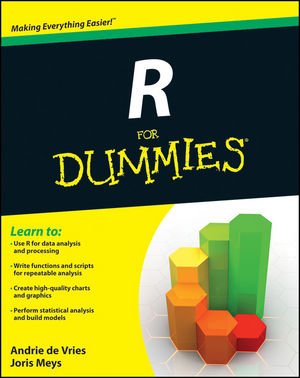
However, there is one introductory book that I think stands out from the rest. It is R for Dummies — the publisher page.
R-help mailing list
The R-help mailing list is a source of information and help (as the name says).
Reading (some of) R-help is going to be educational.
Writing a message to R-help should be a last resort. If you do write a message and you don’t follow the rules, you should expect a rough ride.
An alternative to the mailing list is the R tag of StackOverflow.
R Vocabulary
It is good to know the terminology in any field. It facilitates:
- learning the concepts
- communicating with others
- becoming more comfortable
Epilogue
R beginner, R newbie, R noobie, R novice, R neophyte — whatever label you like — the aim of this guide is to help get you from there to R user as quickly and painlessly as possible.
The deer picture is from natefischer via stock.xchng.
Jun 25, 26
The function in question is scriptSearch. I’m not much for superlatives — “most” and “best” imply one dimension, but we live in a multi-dimensional world. I’m making an exception. The [...]
Jun 25, 26
I recently gave a talk at the R in Finance conference in which I introduced the marketAgent package for R. Here is the source for the package if you'd like [...]
Jun 25, 26
Executive summary Surprisingly good. And it’s not like my expectations were especially low. Structure There are 20 chapters. I mostly like the chapters and their order. Hadley breaks the 20 chapters [...]